
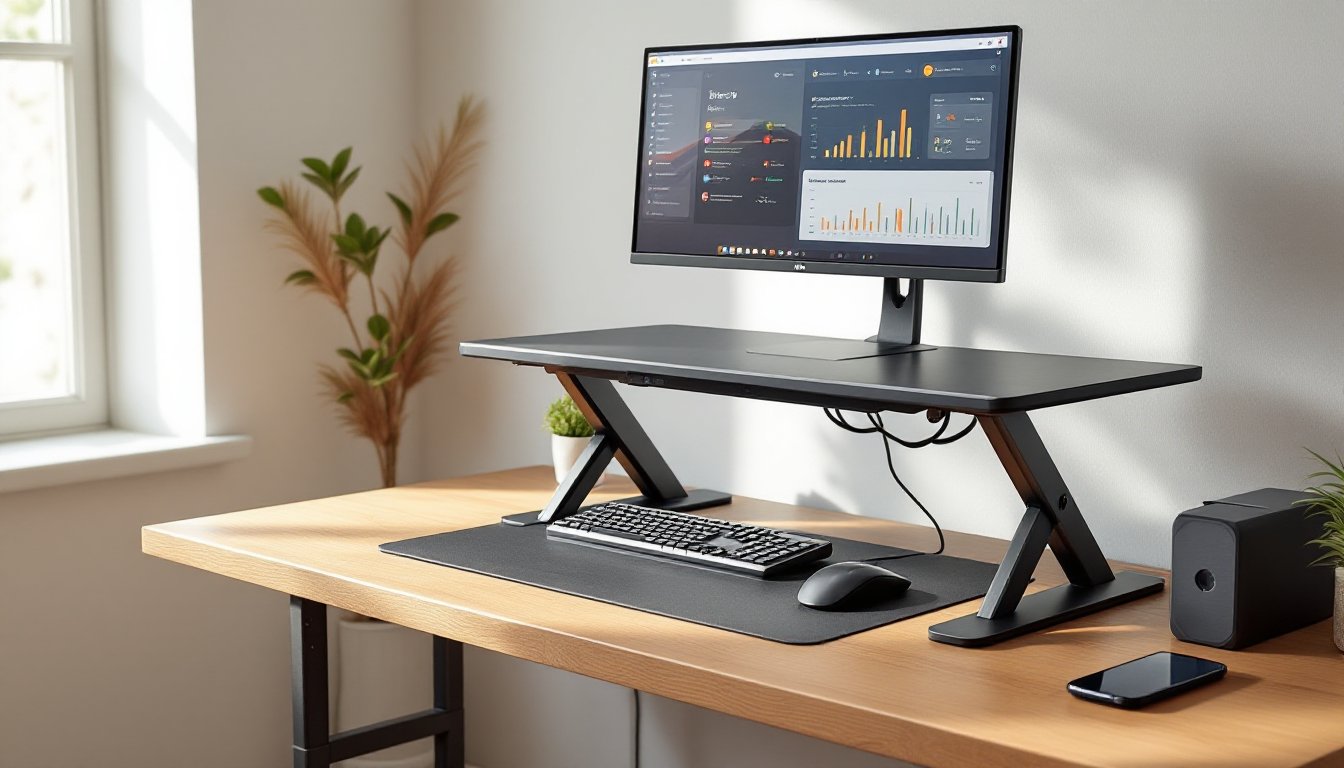

Upgrading to a sit-stand workstation doesn’t require tossing an existing desk or spending thousands on a motorized frame. An electric standing desk converter sits on top of any desk and lifts the monitor, keyboard, and work surface at the push of a button. It’s a practical middle ground for renters, budget-conscious DIYers, or anyone testing the ergonomic waters before committing to a full standing desk. These units range from compact two-tier platforms to wider models that accommodate dual monitors and a full keyboard tray, and most install in under ten minutes without tools or permanent modifications.
Table of Contents
ToggleKey Takeaways
- An electric standing desk converter is a motorized platform that sits on an existing desk to raise or lower monitors and keyboards at the push of a button, making ergonomic adjustments effortless without permanent modifications.
- Electric converters cost $200–$500 compared to $500–$1,200 for a full motorized desk, delivering significant savings for renters and budget-conscious users who want to preserve existing furniture investments.
- Dual-motor systems provide faster lift speeds (1.0–1.5 inches per second), better load distribution, and less wobbling than single-motor units, especially when supporting dual monitors or heavy peripherals.
- Proper setup requires measuring desk depth (24–30 inches minimum), verifying weight capacity for all equipment, and confirming desktop stability before installing—installation typically takes just 10–20 minutes with basic tools.
- Programmable memory presets allow users to toggle between saved sitting and standing heights with a single button press, eliminating guesswork and ideal for multi-user households.
- Alternating between sitting and standing every 30–60 minutes reduces lower-back discomfort and improves energy levels, making an electric standing desk converter a practical way to support long-term ergonomic wellness.
What Is an Electric Standing Desk Converter and How Does It Work?
An electric standing desk converter is a motorized platform that rests on an existing desk surface and raises or lowers a secondary work surface on demand. Unlike manual converters that use gas springs, pneumatic lifts, or counterweight systems, electric models rely on one or more linear actuators, small DC motors paired with telescoping columns, to adjust height smoothly and hold position without drift.
Most units feature a two-tier design: a lower platform for the keyboard and mouse, and an upper shelf for one or more monitors. When the user presses a button on a wired control pad or touch panel, the motor extends or retracts the columns simultaneously, lifting the entire assembly between roughly 6 inches and 20 inches above the base. Higher-end models include programmable memory presets, often four positions stored in the controller, so users can toggle between sitting and standing heights without manual adjustment each time.
Electric converters draw power from a standard 120 V AC outlet via an external power brick. The motor and control circuitry are sealed inside the column housing, and most units consume less than 50 watts at full load. Safety features typically include overload protection that stops the motor if it encounters unexpected resistance, and anti-collision sensors on premium models that reverse direction when they detect an obstruction.
The adjustment range varies by model, but a typical electric converter moves from seated height (0–2 inches above the desk surface) to standing height (16–20 inches above the desk surface) in 10–20 seconds. Speed depends on the motor’s wattage and the load being lifted. Dual-motor systems, which place one actuator in each column, tend to be faster and more stable under heavy loads than single-motor designs that drive both sides via a synchronization belt or cable.
Key Benefits of Adding an Electric Converter to Your Home Office
Ergonomic flexibility is the primary draw. Prolonged sitting compresses the lumbar spine and restricts circulation to the lower extremities: alternating between sitting and standing every 30–60 minutes can reduce lower-back discomfort and improve energy levels during long work sessions. Electric converters make that transition effortless, no cranking a handle or pulling a lever mid-Zoom call.
Cost savings compared to a full electric standing desk are significant. A quality motorized desk frame and top typically run $500–$1,200, while most electric converters fall between $200 and $500. For renters or anyone who already owns a solid desk, a converter preserves the existing investment and avoids the hassle of disassembly, disposal, or resale.
Quick, reversible installation means no drilling, no cable routing through grommets, and no reconfiguring an entire room. The converter sits on the desk, plugs into the wall, and can be removed in seconds if the user moves or changes layouts. This makes it ideal for shared workspaces, temporary home offices, or anyone hesitant to commit to a permanent furniture swap.
Smoother operation than manual alternatives. Gas-spring converters require a firm pull or push to overcome the spring tension, and height adjustment can be imprecise: electric motors stop exactly where the user releases the button and hold that position under load without sagging. Recent tests on stability and adjustability show electric models outperform manual units when supporting dual monitors or heavy peripherals.
Programmable presets eliminate guesswork. After setting seated and standing heights once, the user can recall those positions with a single button press. This feature is especially useful in multi-user households or home offices where different family members share the same workspace.
Choosing the Right Electric Standing Desk Converter for Your Space
Size, Weight Capacity, and Desktop Compatibility
Measure the existing desk surface before shopping. Most converters specify a minimum desk depth, typically 24–30 inches, to ensure the unit doesn’t overhang the front edge when raised. Width varies from compact 28-inch models suited to a single laptop and monitor, up to 36–42 inch platforms that accommodate dual 24-inch or 27-inch displays side by side.
Weight capacity ranges from 15 pounds on budget units to 35+ pounds on heavy-duty models. Add up the combined weight of all monitors, keyboards, laptops, and accessories that will sit on the converter. A dual-monitor setup with two 27-inch LCD panels, a mechanical keyboard, and a laptop can easily exceed 25 pounds. Undersized motors struggle with heavy loads, leading to slower lift speeds, louder operation, and shorter service life.
Check desktop clearance. The converter’s base footprint sits on the desk surface, so any desk accessories, desk lamps, external hard drives, charging docks, will need to fit around it or be relocated. Some models have cutouts or cable-management channels along the rear edge to route power and monitor cables cleanly.
Verify that the desk itself is stable enough to support the added weight and leverage. A wobbly IKEA table with lightweight particleboard legs may not handle the dynamic load of a rising converter and dual monitors. Look for desks with a solid wood, plywood, or heavy MDF top at least 0.75 inches thick and sturdy leg bracing. If the desk flexes when leaned on, it’s not a good candidate.
Motor Quality and Adjustment Speed
Dual-motor systems offer better load distribution and faster lift speeds, often 1.0–1.5 inches per second, compared to single-motor units that average 0.5–0.8 inches per second. The difference is noticeable when raising a heavy load from sitting to standing height: dual motors also reduce lateral wobble during movement.
Look for steel or aluminum telescoping columns rather than plastic sleeves. Metal columns resist flex under load and provide a smoother glide. The motor housing should be sealed to keep out dust and debris: exposed gears or drive belts are a maintenance headache and a noise source.
Noise level matters in shared spaces. Quality motors operate at 45–55 dB, roughly the volume of a quiet conversation, while cheaper units can hit 65+ dB, closer to a vacuum cleaner. If the home office is adjacent to a bedroom or open to a living area, prioritize models with ball-bearing slides and brushless DC motors, which run quieter than brushed alternatives.
Control options range from basic up/down paddle switches to backlit digital displays with four memory presets. Memory functions are worth the extra cost if multiple users share the desk or if precise, repeatable positioning is important. Some premium models include Bluetooth connectivity and smartphone apps for tracking sit-stand intervals, though that feature is more gimmick than necessity for most DIYers.
Warranty coverage signals manufacturer confidence. A two-year warranty on motors and electronics is standard: three to five years suggests better component quality. Reviews on independent testing sites highlight which models hold up after thousands of cycles and which ones develop motor noise or control-board failures within the first year. Curated lists of the top standing desk converters rank units by durability and long-term performance.
Installation and Setup: A Simple DIY Project
Electric converters ship mostly assembled. Expect a one-piece base platform, pre-attached columns, and a separate upper work surface that bolts or clips into place. Most manufacturers include a hex key or Allen wrench: a Phillips-head screwdriver may be needed to secure the keyboard tray or monitor shelf.
Step 1: Clear the desk surface and position the converter in the center or slightly offset, depending on monitor placement and cable routing. Ensure at least 3–4 inches of clearance at the rear edge for power and monitor cables.
Step 2: If the upper platform ships detached, align the mounting brackets with the pre-drilled holes on the lift columns and secure with the included bolts. Hand-tighten first, then snug with the hex key, over-torquing can strip the threads in aluminum columns.
Step 3: Attach the keyboard tray to the lower tier using the supplied hardware. Some models use a snap-fit system: others require M5 or M6 machine screws. Check that the tray sits level and doesn’t wobble.
Step 4: Route the motor control cable from the column housing to the control pad. Most pads mount to the underside of the keyboard tray with adhesive backing or Velcro. Position it within easy reach, front center or right side, so the user can adjust height without reaching around a monitor.
Step 5: Plug the external power adapter into the motor housing’s input jack, then run the AC cord to a nearby outlet. Use cable clips or Velcro straps to secure loose cords along the desk leg or rear edge. Avoid draping power cables across the desktop where they can snag.
Step 6: Place monitors, keyboard, and peripherals on the converter. Press the “up” button and watch for smooth, even movement. If one side rises faster than the other, common on single-motor units during the first cycle, stop and press “down,” then try again. Most systems self-calibrate after a few cycles.
Step 7: Set memory presets if available. Sit in the chair with feet flat and adjust the keyboard tray so forearms are parallel to the floor and elbows form a 90-degree angle. Save that height to preset 1. Stand with shoulders relaxed and adjust the monitor to eye level, typically 15–20 inches higher than seated position. Save that height to preset 2.
Safety notes: Wear safety glasses if working under the desk to route cables, desks have sharp metal brackets and protruding screw tips. Keep fingers clear of the columns during powered movement: the motor has enough force to pinch skin between moving parts. If children or pets are present, remind household members not to press the control buttons as a toy.
No permit or electrical work is required. The converter is a plug-and-play appliance. If the desk sits far from an outlet, use a 14 AWG or 12 AWG grounded extension cord rated for at least 10 amps: avoid daisy-chaining power strips.
Total setup time is 10–20 minutes for a straightforward install. Cable management and monitor positioning can add another 10–15 minutes. Units that arrive with the upper platform pre-attached cut setup to under 5 minutes, unbox, place, plug in, go. Rankings of the best standing desk converters often highlight ease of assembly as a deciding factor between otherwise similar models.
Conclusion
An electric standing desk converter delivers ergonomic benefits and workspace flexibility without the expense or commitment of a full motorized desk. By matching the unit’s size, weight capacity, and motor quality to actual needs, and spending ten minutes on straightforward assembly, any DIYer can set up a reliable sit-stand workstation that adapts to their schedule, not the other way around.