
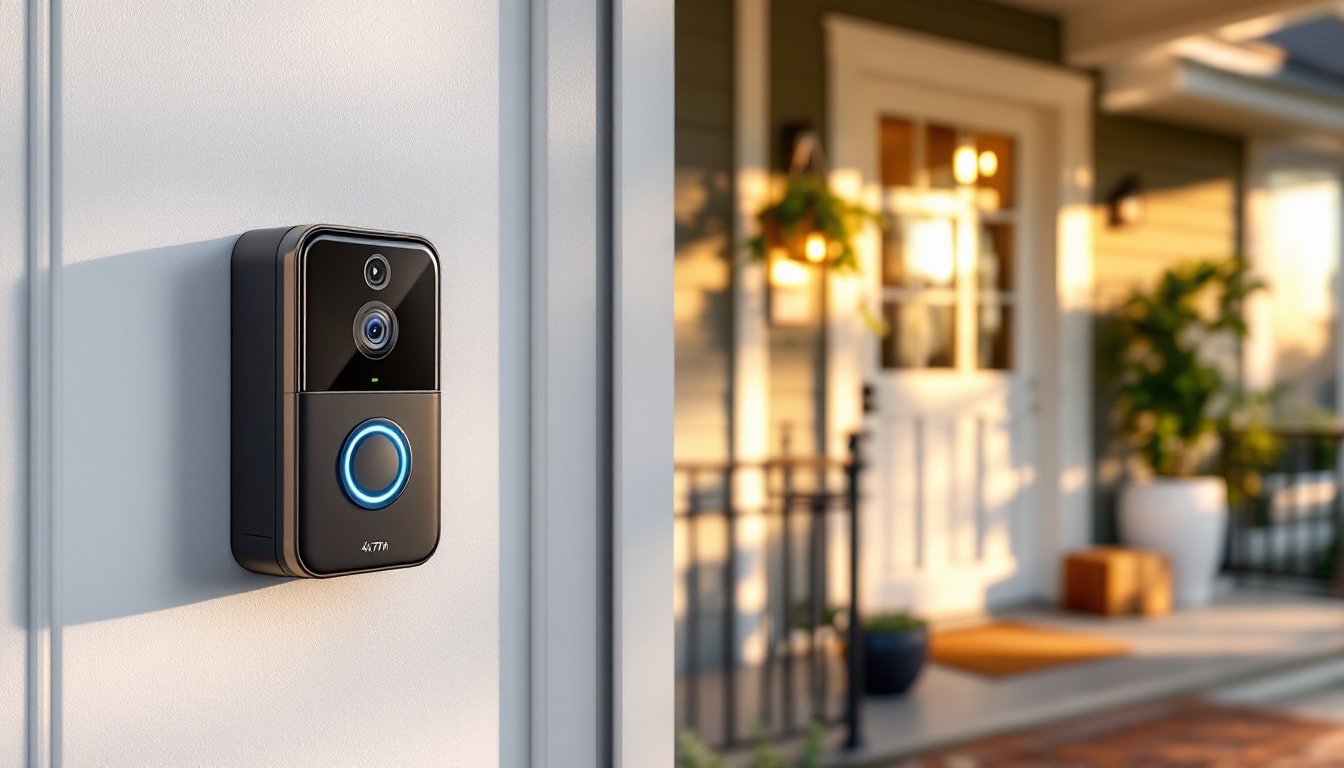

A doorbell camera with a dedicated monitor offers something smartphones can’t: instant visibility without unlocking a device, opening an app, or worrying about battery life. For homeowners who want reliable front-door surveillance, especially older adults, those with limited mobility, or anyone who prefers a screen that’s always on, these systems deliver convenience and security in one package. They combine the visual verification of traditional peepholes with the recording, two-way communication, and monitoring capabilities of modern smart home tech. This guide walks through everything needed to choose, install, and get the most from a doorbell camera with monitor system.
Table of Contents
ToggleKey Takeaways
- A doorbell camera with monitor delivers instant visual verification without unlocking a phone or opening an app, making it ideal for seniors, families with children, and anyone prioritizing accessibility and security.
- Doorbell camera systems eliminate dependency on smartphones and Wi-Fi, offering standalone operation that works reliably during internet outages or in homes with varying tech comfort levels.
- Video quality of at least 1080p with night vision (infrared range of 15–25 feet) and wide field of view (160–180 degrees) are essential features for clear identification and comprehensive porch coverage.
- Installation typically involves mounting the camera at 48–52 inches from the ground, connecting existing doorbell wiring or using battery-powered wireless systems, which takes 30 minutes to an hour for DIY installations.
- Mid-range doorbell camera systems ($200–$400) offer the best balance of resolution, wireless range, build quality, and cloud storage without the premium cost of professional-grade options.
- Visible doorbell cameras provide powerful deterrence against package theft and trespassing, while recorded footage serves as evidence for theft or vandalism claims.
What Is a Doorbell Camera with Monitor?
A doorbell camera with monitor is a wired or wireless video doorbell paired with a dedicated display screen, typically ranging from 5 to 10 inches. Unlike Wi-Fi-only doorbells that rely solely on smartphone apps, these systems include a physical monitor, either a handheld portable unit or a mounted display, that shows live or recorded video feeds from the front door.
The camera unit mounts outside, replacing or supplementing a traditional doorbell. It captures video when motion is detected or the button is pressed, then transmits the feed to the indoor monitor via wireless signal (usually 2.4 GHz or 5 GHz Wi-Fi, proprietary RF, or even wired connections). Most systems allow two-way audio, so homeowners can speak with visitors without opening the door.
These setups are popular in homes where smartphone dependency isn’t ideal, think elderly parents, households with kids answering the door, or workshops and garages where a glanceable screen beats fumbling with a phone. Some systems operate entirely standalone (no internet required), while others integrate with Wi-Fi for cloud storage and remote app access.
Key Benefits of Installing a Doorbell Camera System
Instant visual verification is the primary draw. A dedicated monitor eliminates the delay of unlocking a phone, opening an app, and waiting for the video to buffer. For seniors or anyone with mobility challenges, a countertop or wall-mounted screen provides immediate, accessible monitoring.
No reliance on smartphones or internet connectivity sets these systems apart. Standalone models work even during Wi-Fi outages or if household members don’t own smartphones. This makes them reliable for vacation homes, rental properties, or households with varying tech comfort levels.
Enhanced package theft deterrence comes from visible cameras and the ability to respond in real time. Many systems record continuously or on motion detection, storing footage locally on SD cards (typically 32 GB to 128 GB) or in the cloud. Recorded clips serve as evidence if theft or vandalism occurs.
Improved safety for vulnerable household members is another practical benefit. Kids home alone, elderly residents, or anyone hesitant to answer the door can screen visitors without exposure. Two-way audio allows conversation through the door, and some systems include emergency call buttons that alert other household members or monitoring services.
Deterrence through visibility shouldn’t be underestimated. Porch pirates and solicitors often skip homes with obvious camera systems. Pairing a doorbell camera with a visible monitor inside (seen through a window) reinforces the message that the property is monitored.
Top Features to Look for When Shopping
Video Quality and Night Vision
1080p resolution is the current standard: anything lower produces grainy, hard-to-identify footage. Higher-end models offer 2K or 4K video, which helps when zooming in on faces, license plates, or package labels. Frame rate matters too, 15 to 30 fps ensures smooth playback, especially for motion events.
Night vision is non-negotiable. Look for infrared (IR) LEDs with a range of at least 15 to 25 feet. Some models use color night vision via ambient light sensors or built-in spotlights, which can reveal more detail than black-and-white IR but may drain battery faster on wireless units.
Field of view (FOV) typically ranges from 160 to 180 degrees. Wider angles capture more of the porch and approach paths but can distort faces near the edges. A vertical FOV of 120+ degrees is useful for seeing packages left on the ground or monitoring tall visitors. Testing by major tech reviewers like CNET and Digital Trends often highlights real-world FOV performance under various lighting conditions.
HDR (High Dynamic Range) helps balance bright sunlight and shadowed porch areas, preventing washed-out or overly dark footage. It’s especially valuable for south-facing doors or entries with inconsistent lighting.
Monitor Display Size and Portability
Monitor size affects usability. 7-inch screens are the sweet spot for most homes, large enough for clear images but compact enough for countertop or wall mounting. Smaller 5-inch models work in tight spaces like entryways or hallways, while 10-inch displays suit open-plan kitchens or living areas where the monitor doubles as a household hub.
Portability varies. Some monitors are handheld with rechargeable batteries, allowing users to carry them room to room. These typically run 4 to 8 hours on a charge. Others are AC-powered and wall-mounted, offering always-on monitoring but less flexibility.
Touchscreen vs. button controls come down to preference. Touchscreens simplify navigating recorded clips and settings but can be harder to use with wet or gloved hands. Physical buttons are more tactile and reliable but may clutter the interface.
Multiple camera support is a feature worth considering if monitoring side doors, garages, or driveways. Systems that support 2 to 4 cameras with split-screen or swipeable views provide comprehensive property coverage without multiple monitors.
Best Doorbell Camera with Monitor Systems for Homeowners
Standalone wireless systems are the simplest to install. Brands like Arlo, Lorex, and HeimVision offer battery-powered doorbell cameras paired with plug-in monitors. These require no wiring beyond plugging the monitor into a wall outlet. Expect 300 to 500 feet of wireless range in open air, though walls, metal siding, and appliances reduce that significantly. These systems are ideal for renters or homes without existing doorbell wiring.
Wired systems with PoE (Power over Ethernet) deliver the most reliable performance. They use a single Ethernet cable to supply both power and data, eliminating Wi-Fi dropouts and battery changes. Installation requires running Cat5e or Cat6 cable from the doorbell location to a PoE switch or injector, then to the monitor. This setup suits new construction or homes with accessible attic/crawl space for cable runs. It’s overkill for most DIYers but worth considering if reliability trumps convenience.
Hybrid Wi-Fi systems blend smartphone app access with dedicated monitors. The Ecobee Smart Doorbell Camera, for example, integrates with Ecobee’s smart thermostat ecosystem and supports third-party monitors via Wi-Fi. These systems offer flexibility but depend on stable home networks. A solid doorbell camera can provide full-body visitor views, which is particularly useful for identifying delivery personnel or unexpected guests.
Budget-friendly options under $150 typically sacrifice resolution (720p instead of 1080p), shorter wireless range, and limited cloud storage. They’re functional for basic door monitoring but may frustrate users expecting crisp playback or long-term recording. Mid-range systems ($200–$400) offer the best balance of features, build quality, and support.
Professional-grade systems ($500+) include advanced features like AI-powered person detection (ignoring pets and vehicles), license plate recognition, and integration with whole-home security systems. These are overkill for most single-family homes but make sense for properties with high-value assets or security concerns.
Step-by-Step Installation Guide for DIY Enthusiasts
Before starting, verify that existing doorbell wiring is compatible if replacing a traditional wired doorbell. Most video doorbells require 16 to 24 VAC transformers (the standard for most homes built after 1980). Check the transformer, usually located in the basement, garage, or inside the breaker panel. If voltage is below 16V or above 24V, replace the transformer before proceeding. This may require an electrician if working inside the breaker panel feels uncomfortable.
Shut off power at the breaker before touching any wiring. Use a non-contact voltage tester to confirm the doorbell circuit is dead. Even low-voltage doorbell wiring can short and damage components.
Tools and materials needed:
- Screwdriver set (Phillips and flathead)
- Drill with masonry or wood bits (depending on siding material)
- Wire strippers
- Level (a 9-inch torpedo level works well)
- Anchors and screws (often included with the doorbell unit)
- Silicone caulk (for weatherproofing the mounting bracket)
- Safety glasses (essential when drilling overhead or into masonry)
Step 1: Remove the old doorbell. Unscrew the faceplate and disconnect the two wires (typically labeled as “front” and “trans” or just unmarked). Note which wire connects to which terminal, some systems are polarity-sensitive.
Step 2: Mount the doorbell bracket. Position it at 48 to 52 inches from the ground (standard eye level for most adults). Use the level to ensure it’s straight, then mark screw holes. Drill pilot holes and insert anchors if mounting to brick, stucco, or fiber cement siding. For wood siding or trim, screws can go directly into studs or trim boards. Apply a thin bead of silicone around the back edge of the bracket to seal against weather.
Step 3: Connect the doorbell wiring. Attach the existing doorbell wires to the camera unit’s terminals. Most systems use screw terminals or push-in connectors, follow the manufacturer’s diagram. If wires are frayed or corroded, trim 1/4 inch and strip fresh insulation.
Step 4: Attach the camera to the bracket. Snap or screw the doorbell camera onto the mounted bracket. Some models use security screws (requiring a proprietary bit) to deter theft.
Step 5: Set up the monitor. Plug it into an outlet and follow the pairing instructions, which typically involve pressing a sync button on both the camera and monitor. Most systems auto-detect and connect within 30 seconds. If pairing fails, move the monitor closer temporarily to establish the initial connection.
Step 6: Adjust camera angle and settings. Most doorbells allow 5 to 15 degrees of vertical tilt. Aim the lens to capture faces at average height (not just the top of heads). Configure motion zones through the monitor or app to avoid false alerts from passing cars or trees.
Step 7: Test the system. Press the doorbell button and verify the monitor displays live video and sounds the chime. Walk through the camera’s field of view at different distances to confirm motion detection triggers recording. Check night vision by covering the lens or testing after dark.
Safety notes: If drilling into vinyl or aluminum siding, avoid puncturing the moisture barrier behind it. Use the smallest bit necessary and seal all penetrations with silicone. For masonry, wear a dust mask, brick and concrete dust are respiratory irritants. If the installation requires running new low-voltage wiring through walls or adding a new transformer, consult local building codes. Most jurisdictions don’t require permits for low-voltage work, but regulations vary.