
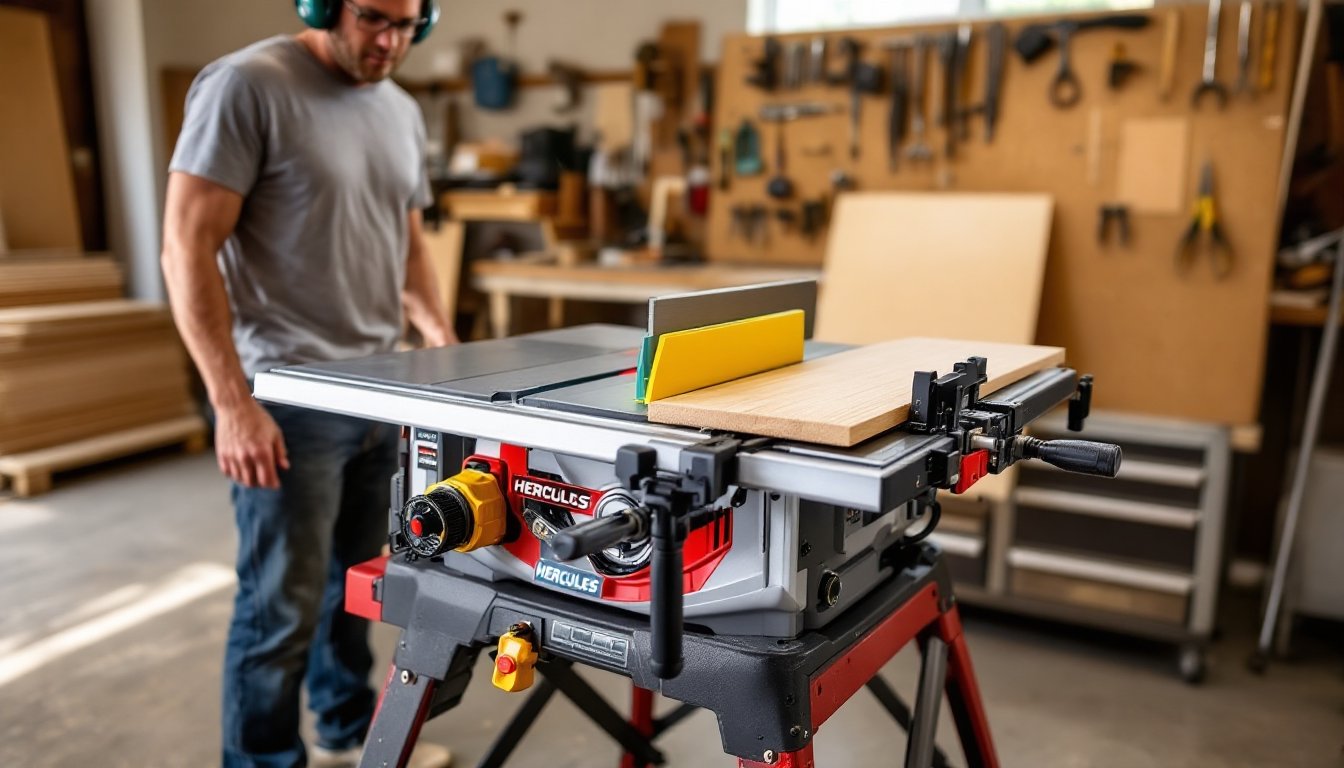

Harbor Freight’s Hercules line has carved out a niche in the budget tool market, and the Hercules table saw stands as one of its most talked-about offerings. For DIYers working with limited budgets but demanding more than entry-level performance, this saw promises contractor-grade features without the contractor-grade price tag. It’s not a cabinet saw that’ll anchor a professional shop, but it’s built to handle weekend warriors tackling deck builds, cabinetry projects, and sheet goods breakdown. Before you commit to any table saw purchase, you need to understand what you’re actually getting, the real-world capabilities, the limitations, and whether it fits your specific workshop needs.
Table of Contents
ToggleKey Takeaways
- The Hercules table saw delivers contractor-grade features like a 15-amp motor and cast aluminum table at roughly half the cost of competing brands, making it an excellent value for budget-conscious DIYers.
- Proper setup is essential—expect to spend 20-30 minutes checking blade alignment, squaring the table, and adjusting the fence before your first cuts to ensure accuracy and safety.
- The Hercules table saw handles rip cuts, crosscuts, and dado stacks up to 13/16 inches wide, making it suitable for cabinetry, deck building, and sheet goods projects without requiring a full cabinet saw investment.
- Upgrade the included blade and consider aftermarket accessories like a crosscut sled and zero-clearance insert to achieve precision beyond rough carpentry and unlock better results on finish work.
- This saw is ideal for hobbyists tackling occasional woodworking projects but isn’t suitable for daily professional production or those prioritizing advanced safety features like flesh-detection technology.
What Is the Hercules Table Saw and Why Is It Popular Among DIYers?
The Hercules table saw is Harbor Freight’s answer to mid-tier contractor saws from brands like DeWalt and Bosch, but at roughly half the cost. It’s a portable job site saw designed for serious hobbyists and DIY builders who need accurate rip cuts, crosscuts, and angle work without investing in a stationary cabinet saw.
What sets it apart in the budget category is the 15-amp motor and cast aluminum table surface, features you’d typically find in the $500-700 range, not the sub-$400 tier where Hercules competes. The saw includes a rack-and-pinion fence system, which offers more precision than the stamped-steel fences common on cheaper models.
DIYers gravitate toward Hercules for three reasons: price-to-performance ratio, Harbor Freight’s aggressive warranty coverage (typically 2-3 years with free replacement), and the fact that it handles dado stacks, a must-have for anyone building cabinets or shelving. That said, it’s not silent, it’s not feather-light, and it won’t replace a SawStop if safety features like flesh-detection technology are non-negotiable for your shop.
Key Features and Specifications of Hercules Table Saws
Here’s what you’re working with on the current Hercules 10-inch portable table saw model:
- Motor: 15-amp, 120V, delivering 4,800 RPM no-load speed
- Blade size: 10 inches (accepts standard 5/8-inch arbor blades)
- Rip capacity: 25 inches to the right of the blade, enough for ripping a 4×8 sheet lengthwise
- Table dimensions: Approximately 26.5 × 22 inches of cast aluminum work surface
- Dado capacity: Accepts dado stacks up to 13/16 inches wide
- Bevel range: 0° to 45° left tilt
- Weight: Roughly 68 pounds with stand
The rack-and-pinion fence locks with a single cam lever and stays parallel across the table, critical for preventing binding and kickback. The miter gauge is basic stamped steel with positive stops at common angles (0°, 22.5°, 45°), but most experienced woodworkers replace it with an aftermarket sled for precision crosscuts.
One standout detail: the dust port is 2.5 inches, which matches most shop vacs without needing an adapter. Dust collection isn’t perfect, table saws are notoriously bad at capturing fine particles, but it’s better than saws with undersized or poorly positioned ports. Always wear a dust mask or respirator when cutting MDF, treated lumber, or hardwoods that produce fine particulate.
Hercules Table Saw Models: Comparing Your Options
Harbor Freight doesn’t flood the market with a dozen SKUs. As of early 2026, the primary model is the Hercules 10-inch portable table saw with rolling stand (item #64008 or similar, depending on region). Occasionally, the company releases a version without the stand at a slightly lower price point, but availability fluctuates.
The included wheeled stand is a folding design with wide rubber feet for stability on uneven job sites. It’s not a dedicated router table stand, but it does the job. Setup and breakdown take about 30 seconds once you’ve done it a few times, acceptable for a garage shop where you need to reclaim floor space between projects.
There isn’t a “compact” or “heavy-duty” variant within the Hercules table saw line, so your choice is straightforward: buy it with the stand or find the standalone saw if it’s in stock. If you’re comparing across Harbor Freight’s catalog, the Bauer table saw is the step-down option, lighter, less power, smaller table, and the Hercules sliding miter saw is a complementary tool, not a replacement for rip cuts and dado work.
For DIYers serious about woodworking project plans, the 10-inch model with the stand is the default recommendation unless shop space is so limited that a benchtop bandsaw makes more sense.
Performance and Accuracy: What to Expect in Real-World Use
Out of the box, expect to spend 20-30 minutes checking and adjusting. The blade is rarely perfectly square to the table or miter slots, and the fence might need tweaking. This isn’t unique to Hercules, most job site saws under $600 require initial tuning.
Rip performance is solid for framing lumber, plywood, and hardwoods up to 1.5 inches thick. The 15-amp motor bogs slightly in dense hardwoods like oak or maple if you push the feed rate, but it recovers without tripping the breaker. Cutting pressure-treated 2×10s or wet lumber will slow things down: let the blade do the work rather than forcing the cut.
Crosscut accuracy with the stock miter gauge is acceptable for rough carpentry, deck framing, garden boxes, but not finish work. A $30-50 aftermarket miter gauge or a shop-built crosscut sled brings precision to ±1/32 inch, which is what you need for trim carpentry or cabinet face frames.
The fence stays parallel under normal use, but double-check it before critical cuts. Use a combination square or dial caliper to measure from the blade tooth to the fence at the front and rear of the table. Any deviation beyond 1/32 inch can cause binding or kickback, especially on long rip cuts.
Vibration is noticeable compared to a 200-pound cabinet saw, but it won’t ruin cuts if the saw is on a stable surface. Keep the stand locked, and don’t set up on loose gravel or uneven concrete. Many users in hands-on DIY tutorials recommend adding a sacrificial plywood base under the saw for job site use to distribute weight and reduce flex.
Setting Up Your Hercules Table Saw for Optimal Results
Proper setup takes an hour the first time, but it’s non-negotiable for safe, accurate cuts. Here’s the process:
Initial Assembly and Alignment
- Assemble the stand per the manual. Tighten all bolts snugly, loose hardware causes vibration and fence drift.
- Mount the saw to the stand brackets and verify it’s level front-to-back and side-to-side. Use a machinist’s level or a smartphone level app.
- Check blade alignment. Raise the blade to full height, then measure from a miter slot to a blade tooth at the front and rear. Rotate the blade 180° and re-check. Adjust the trunnion bolts (under the table) until the blade is parallel to within 0.002 inches, a dial indicator helps, but a good combination square and feeler gauges work.
- Square the blade to the table. Set your combination square against the table and blade body (not the teeth). Adjust the bevel stop bolt until the blade reads exactly 90°. Re-check after tightening the bolt.
- Align the fence. Lock the fence at 12 inches, then measure from the fence face to a blade tooth at the front and rear of the table. Loosen the fence rail bolts and shift the rail until measurements match. Some fences have micro-adjust screws: use them.
Essential Accessories and Upgrades
- Blade upgrade: The included blade is functional but rough. A 40-tooth combination blade or a dedicated rip blade (24-tooth) cuts cleaner and reduces tear-out. Freud, Diablo, and DeWalt all make 10-inch blades that fit.
- Zero-clearance insert: Reduces chip-out on the underside of cuts, especially in plywood and melamine. You can buy one or make your own from 1/4-inch hardboard.
- Push stick and push block: Non-negotiable for ripping narrow stock. Keep your hands at least 6 inches from the blade at all times.
- Featherboards: Clamp to the fence or table to hold workpieces tight against the fence, reducing kickback risk.
Safety Checks Before Every Use
- Inspect the blade for cracks, missing teeth, or pitch buildup. Clean with blade cleaner or mineral spirits.
- Verify the riving knife is in place and aligned with the blade. Never remove it unless you’re cutting dados.
- Test the blade guard if you’re using one (many woodworkers remove it for certain cuts, but it’s there for a reason).
- Wear safety glasses, hearing protection, and a dust mask. Table saws produce 95-105 dB and throw fine particles.
For comprehensive seasonal repair guides covering tool maintenance and calibration, periodic alignment checks keep the saw running true over years of use.
Pros and Cons: Is a Hercules Table Saw Right for Your Workshop?
Pros
- Price-to-performance leader: Hard to find a saw with this feature set under $400.
- Dado capability: Opens up joinery options most budget saws can’t handle.
- Adequate rip capacity: 25 inches handles sheet goods and wide boards.
- Cast aluminum table: Smoother, flatter, and more durable than stamped steel.
- Rolling stand included: Adds value and portability without extra cost.
- Widely available parts and service: Harbor Freight stores are common, and warranty claims are straightforward.
Cons
- Initial setup required: Not plug-and-play: expect to spend time on alignment.
- No advanced safety features: No flesh-detection tech like SawStop, and the blade guard is basic.
- Louder than premium saws: The universal motor whines: hearing protection is mandatory.
- Fence micro-adjustments can drift: The cam lock is secure, but heavy lateral pressure can shift it slightly over time.
- Vibration on full-depth cuts: More noticeable than a stationary saw, though not enough to ruin work.
- Limited aftermarket support: Fewer third-party accessories compared to DeWalt or Makita ecosystems.
Who Should Buy It?
This saw fits DIYers who:
- Build decks, sheds, furniture, or cabinetry a few times a year
- Need portability but don’t want to sacrifice rip capacity
- Are comfortable with initial setup and occasional recalibration
- Prioritize cost savings over premium fit-and-finish
Who Should Skip It?
Look elsewhere if you:
- Run a professional cabinet shop with daily production demands
- Require advanced safety features for peace of mind (consider SawStop)
- Work primarily with thick hardwoods or exotic lumber (a 3HP cabinet saw is better)
- Want plug-and-play accuracy without any tuning
Conclusion
The Hercules table saw delivers contractor-level features at a DIY price point, making it a solid choice for home workshops where budget and versatility matter. It’s not the quietest, smoothest, or safest saw on the market, but it handles the core tasks, ripping, crosscutting, dadoes, with enough accuracy for furniture builds and finish carpentry once you’ve dialed it in. Invest time in setup, upgrade the blade, and respect the tool’s limits, and it’ll serve a home shop reliably for years.